
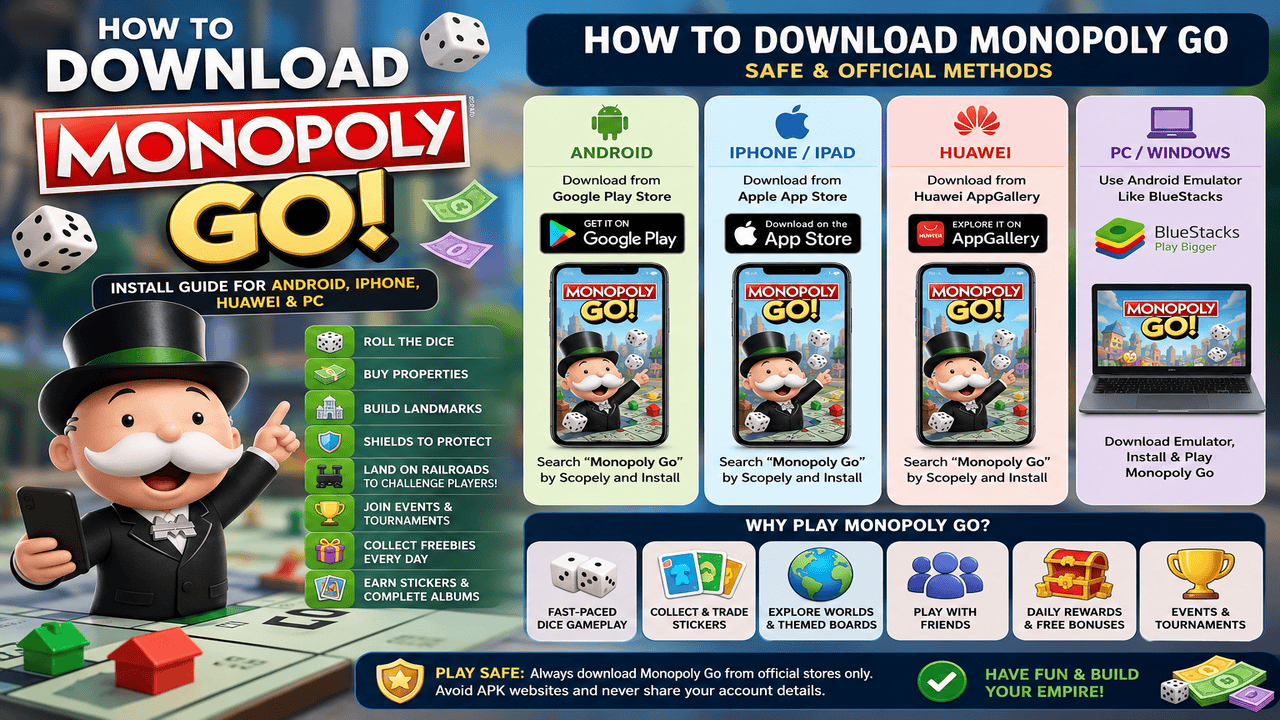
If you are searching for How to Download Monopoly Go, this guide will help you install the game safely on Android, iPhone, Huawei, and even explain what you can do if you want to play on a Windows laptop. Monopoly Go is one of the most popular mobile board games because it takes the classic Monopoly feeling and turns it into a fast, colorful, social game.
In this guide, I will walk you through the safest download options, what stores you should use, how to set up your account, and what to expect after you install the game. I will also share a few honest points about the gameplay, including the fun parts and the things that may annoy some players.
What Is Monopoly Go Before You Download It?
Monopoly Go is a mobile game based on the classic Monopoly board game. Instead of sitting around a real board, you roll dice on your phone, collect money, build landmarks, attack other players, join tournaments, and collect stickers. You can also visit the official MONOPOLY GO page to learn more about the game from Scopely.
The game is made to be quick and easy. You do not need to play for hours in one sitting. You can open the app, roll some dice, collect rewards, upgrade your board, and come back later when you have more dice. This is one reason many players enjoy it daily.
But like many free mobile games, Monopoly Go also has in-app purchases. You can play for free, but the game may show offers for dice, sticker packs, or event bundles. So it is fun, but you also need to play smart and not spend money too fast.
Is Monopoly Go Worth Downloading?
Before learning how to download Monopoly Go, it is good to know whether the game is actually worth your time. For many players, the answer is yes, especially if you like casual games, rewards, and simple competition with friends.
What Players Like After Downloading Monopoly Go
The best part of Monopoly Go is how easy it is to start. You roll the dice, move around the board, earn money, and upgrade your landmarks. The game also adds events, tournaments, sticker albums, and friend features, so there is usually something new to do.
- Easy gameplay for beginners
- Colorful graphics and fun animations
- Daily rewards and free bonuses
- Sticker albums and trading with friends
- Events and tournaments that keep the game active
Common Things Players Complain About in Monopoly Go
Even though the game is fun, it is not perfect. The biggest complaint is usually dice. You need dice to keep playing, and when your dice run out, you may need to wait, collect freebies, or use rewards. Some players also feel the game shows too many purchase offers.
- Dice can run out quickly
- Some events need a lot of dice
- In-app purchase pop-ups can feel too much
- Sticker albums can be hard to complete
- Progress may feel slower at higher levels
How to Download Monopoly Go on Android
The safest way to download Monopoly Go on Android is through the Google Play Store. This helps you avoid fake files, unsafe APKs, and outdated versions. You can install it from the official Monopoly Go Google Play page if the game is available in your country.
How to Download Monopoly Go from Google Play Store
Follow these steps:
- Open the Google Play Store on your Android phone.
- Search for Monopoly Go.
- Check that the game is published by Scopely.
- Tap Install.
- Wait for the download to finish.
- Open the game and follow the setup instructions.
After the game opens, it may ask you to download extra data or connect your account. Make sure your internet connection is stable before opening the game for the first time.
Check Device Requirements Before Installing Monopoly Go
If the game does not install, your phone may not meet the requirements, or the game may not be available in your region. You can also try updating your Google Play Store, clearing Play Store cache, or checking your phone storage.
A simple tip: keep enough free storage on your phone before installing. Mobile games can become larger after updates, so it is better to have extra space ready.
How to Download Monopoly Go on iPhone or iPad
If you use an iPhone or iPad, the best way to install Monopoly Go is through the Apple App Store. This is the safest method because the App Store gives you the official version and future updates. You can check the official Monopoly Go App Store page before downloading.
How to Install Monopoly Go from the Apple App Store
Here is how to install it:
- Open the App Store on your iPhone or iPad.
- Search for Monopoly Go.
- Look for the official game by Scopely.
- Tap Get.
- Confirm with Face ID, Touch ID, or your Apple ID password.
- Open the game after installation.
Once the game is installed, you can start playing as a guest or connect your account. I recommend connecting your account later so your progress is not lost if you change phones.
What to Do If Monopoly Go Does Not Show in Your App Store
If Monopoly Go does not appear in your App Store search, it may not be available in your country or region. You can also check whether your iOS version is too old. Updating your iPhone or iPad may help, but only do it if your device supports the new update properly.
How to Download Monopoly Go on Huawei Devices
Some Huawei users may search for How to Download Monopoly Go because they do not have Google Play Store on their device. In this case, the first place to check is Huawei AppGallery.
Using Huawei AppGallery to Download Monopoly Go
Open AppGallery and search for Monopoly Go. If the game appears, check the publisher name and install it from there. Always make sure you are downloading the real game, not a copy or unrelated app.
What If Monopoly Go Is Not Available in Your Region?
If the game does not appear, avoid rushing to random APK websites. It can be tempting, but unsafe downloads may cause problems for your phone, your account, or your personal data. The safer choice is to wait for official availability or use another supported device.
Can You Download Monopoly Go on PC or Windows Laptop?
Many players ask if they can play Monopoly Go on a Windows laptop. The simple answer is that Monopoly Go is mainly made for mobile devices. Most players install it on Android or iPhone.
Is There an Official Monopoly Go PC Download?
Monopoly Go is not usually downloaded like a normal Windows game from the Microsoft Store. If you see a website saying “download Monopoly Go for PC,” be careful and check what it is really offering. Some pages may be talking about Android emulators, not a real PC version.
How to Install Monopoly Go on PC Using an Android Emulator
Some players use Android emulators to play mobile games on PC. An emulator creates an Android-like environment on your computer, then lets you install mobile games through Google Play.
If you choose this method, use a trusted emulator only, download it from the official emulator website, and sign in carefully. Also, remember that performance depends on your computer specs. A slow laptop may lag, crash, or load the game badly.
Should You Use Monopoly Go APK Files?
I do not recommend downloading Monopoly Go from random APK websites if you can use official stores. APK files can be outdated, modified, or unsafe. Even if the file works, it may not update correctly, and it may put your device at risk.
The safest answer for How to Download Monopoly Go is always this: use Google Play Store, Apple App Store, or another official store available on your device.
How to Create or Connect Your Monopoly Go Account
After downloading the game, you need to start your account. Monopoly Go usually lets new players begin quickly, but connecting your account is better if you plan to play for a long time.
Playing Monopoly Go as a Guest
Guest mode is simple. You open the game and start playing without connecting Facebook or Apple ID. This is okay for testing the game, but it is risky if you uninstall the app or change phones.
Connecting Monopoly Go with Facebook or Apple ID
Connecting your account can help save your progress. It may also make it easier to add friends, trade stickers, and join social features. If you play daily, this is a smart step.
Why Monopoly Go Account Backup Matters
Losing game progress is frustrating. Imagine building boards, collecting stickers, joining events, and then losing everything after switching devices. That is why backup matters. Take a minute to connect your account before you go too far.
Monopoly Go Gameplay Basics After Downloading
Once you install the game, the main goal is to roll the dice, collect money, build your board, and move forward through new worlds. The game is easy, but knowing the basics can help you avoid wasting dice.
Roll the Dice in Monopoly Go
Dice are the main energy of Monopoly Go. Every roll moves your token around the board. You can land on money tiles, railroads, shields, rewards, and special event spaces.
Buy Properties and Build Landmarks
Money helps you build and upgrade landmarks. When you complete a board, you move to the next one. This gives the game a nice feeling of progress.
Use Shields to Protect Your Monopoly Go Board
Shields protect your landmarks from attacks. If another player tries to damage your board and you have shields, your board stays safe. Try to collect shields when you see them.
Land on Railroads to Challenge Other Players
Railroads are one of the most exciting spaces. When you land there, you may get a Shutdown or Bank Heist. These features let you challenge other players and earn more money.
Join Monopoly Go Events and Tournaments
Events and tournaments are a big part of Monopoly Go. They can give dice, sticker packs, money, and other rewards. But do not use all your dice too fast. Some events are better than others, so save dice when rewards are not worth it.
Collect Free Monopoly Go Rewards and Daily Bonuses
Monopoly Go gives free rewards through daily bonuses, quick wins, events, and sometimes official reward links. These freebies help you keep playing without always spending money.
Monopoly Go Sticker Albums and Trading
Sticker albums are one of the most addictive parts of the game. You collect stickers, complete sets, and earn rewards. Some stickers are common, while others are harder to find.
How Monopoly Go Sticker Albums Work
Each album has a different sticker set. When you complete a set, you get rewards. When you complete the full album, the rewards are usually much bigger.
Why Stickers Are Important in Monopoly Go
Stickers are important because they give extra goals beyond rolling dice. They also make events more exciting because sticker packs can help you complete missing sets.
Trading Monopoly Go Stickers with Friends
You can trade extra stickers with friends. This is helpful when you have duplicates and need missing cards. But trade carefully. Only trade with people you trust, especially in public groups.
Tips After You Download Monopoly Go
After learning how to download Monopoly Go, the next step is learning how to play smarter. A few small habits can help you save dice and enjoy the game longer.
Save Dice for Monopoly Go Events
Do not roll all your dice as soon as you get them. Save dice for events with good rewards. This gives you a better chance to win more back.
Use Free Monopoly Go Rewards Every Day
Check daily bonuses, free gifts, quick wins, and official reward links when available. Small rewards add up over time. If you want more ways to keep playing without waiting too long, you can also check our updated Monopoly Go free dice links today guide for extra rewards and dice updates.
Do Not Waste Monopoly Go Dice Too Fast
High multipliers can feel exciting, but they can also burn your dice very quickly. Use high rolls only when you have a reason, like landing near event tiles or railroad spaces.
Join Monopoly Go Friends and Trading Groups Carefully
Friends can help with stickers and events. But if you join public trading groups, be careful. Do not share private information, and do not trust strange links that ask for your login details.
Pros and Cons After You Download Monopoly Go
Pros of Downloading Monopoly Go
- Free to download and easy to start
- Fun dice rolling gameplay
- Great for casual players
- Sticker albums add extra goals
- Events and tournaments keep the game fresh
- Social features make it more active
Cons of Downloading Monopoly Go
- Dice can run out fast
- Some rewards take time to earn
- In-app purchases can be tempting
- Sticker trading can be frustrating
- Progress may slow down later
Is Monopoly Go Safe to Download?
Yes, Monopoly Go is safe to download when you use official stores. The risk usually comes from fake download pages, unsafe APK files, or websites that pretend to offer unlimited dice.
Why You Should Download Monopoly Go from Official Stores Only
Official stores help protect you from fake apps and unsafe files. They also give you updates when the game changes. This is important because Monopoly Go often updates events, albums, and rewards.
Risks of Monopoly Go APK Download Websites
APK websites may offer fast downloads, but they are not always safe. Some files may be modified, old, or harmful. Also, never trust any website that asks for your Monopoly Go login, Facebook login, or personal details in exchange for free dice.
Final Verdict: Should You Download Monopoly Go?
If you enjoy casual mobile games, daily rewards, sticker collecting, and light competition, Monopoly Go is worth trying. It is easy to install, simple to play, and fun when you manage your dice wisely.
However, if you dislike games with energy systems, in-app purchases, or waiting for rewards, you may feel annoyed after a while. My advice is simple: download it from an official store, play for free first, save your dice, and do not spend money unless you really want to.
So, if you came here looking for How to Download Monopoly Go, the safest path is clear. Use Google Play Store for Android, Apple App Store for iPhone or iPad, and official supported stores when available. Avoid fake APK sites and enjoy the game in a safe way.
FAQs About How to Download Monopoly Go
How do I download Monopoly Go on Android?
You can download Monopoly Go on Android from the Google Play Store. Search for the game, check that the publisher is Scopely, then tap Install.
How do I download Monopoly Go on iPhone?
You can download Monopoly Go on iPhone from the Apple App Store. Search for Monopoly Go, tap Get, and install the official version.
Can I play Monopoly Go on PC?
Monopoly Go is mainly a mobile game. Some players use Android emulators to play on PC, but the safest and easiest way is still to play on Android or iPhone.
Is Monopoly Go free to download?
Yes, Monopoly Go is free to download. The game also includes optional in-app purchases for players who want extra dice, packs, or other items.
Why can’t I find Monopoly Go in my app store?
If you cannot find the game, it may not be available in your region, or your device may not meet the requirements. Try updating your store app, checking your device software, or searching again later.
Is it safe to download Monopoly Go APK files?
It is safer to avoid random APK files. The best way to download Monopoly Go is through official stores because they provide safer files and updates.